
You can shorten a URL online for free in seconds: open the free URL Shortener, paste your long address, and copy the short link it gives you back. That short link is what you put on a poster, in a text message, or in a social post where the full address — complete with tracking parameters and folder names — would look messy, wrap badly, or simply not fit.
A short link is not magic, and it is not always a favour to your reader. Behind every short link sits a redirect, and that hidden step is exactly why short links are useful in some places and a bad idea in others. This guide covers the mechanics honestly: how shortening works, the problems it genuinely solves, the trust cost it carries, and the pairings — especially QR codes — where it earns its place.
How Do You Shorten a URL in 3 Steps?
- Open the shortener. Go to the URL Shortener in your browser — no account and nothing to install.
- Paste the complete long URL. Copy it from the address bar of the real page, not from memory, so every parameter and folder is exactly right. Test the long version first if you are unsure it works.
- Copy the short link and test it. Paste the short link into a private browser window and confirm it lands on the intended page. A short link you have not clicked yourself is a link you are asking strangers to trust on your behalf.
Tool preview: one long link, shortened
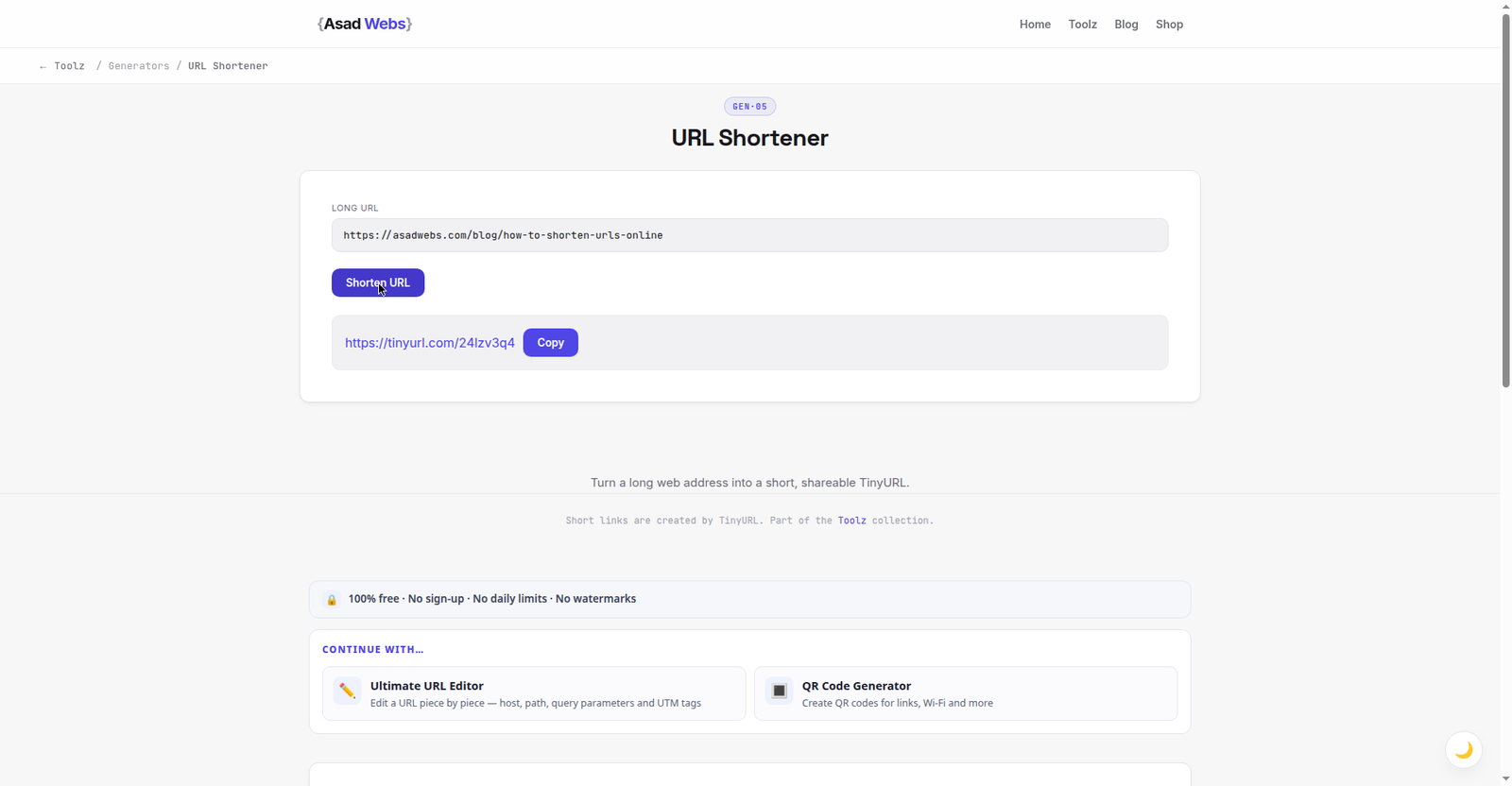
The live shortener at work: a long article link in, a short link out, ready to copy and share. Click the preview to shorten your own link.
Why Are Long URLs a Problem in the First Place?
Modern addresses get long for legitimate reasons. A shop page may carry a category path, a product slug, a colour variant, plus tracking parameters added by an email tool or an advert — easily a hundred characters of slashes, question marks, and code. In an email, that address can wrap across lines and break, so the reader's click lands on a truncated version that goes nowhere. On paper it is worse: nobody will type ninety characters accurately from a flyer, and a long address in small print looks like a warning, not an invitation.
On social platforms the problem is space and appearance. A raw long link eats a large share of a short post, looks untidy in a caption, and can make an otherwise trustworthy business look careless. None of these problems exist on your own website, where the full address is visible in the browser and carries useful words for readers and search engines alike. Shortening is a tool for constrained spaces — print, messaging, character limits — which is a clue to where it belongs and where it does not. The table below matches common situations to the sensible choice.
| Situation | Use a short link? | Why |
|---|---|---|
| Poster, flyer or business card | Yes | Short addresses are typeable and memorable |
| Social post with a tight limit | Usually | Saves space and looks tidy in the caption |
| Text message or chat share | Often | Avoids wrapping and keeps the message clean |
| Link inside your own website | No | Readers and search engines prefer the real address |
| Password reset or banking email | Never | Hidden destinations are exactly what phishing copies |
| Permanent reference or citation | No | The original address will outlive most shortening services |
Where short links help most (illustrative usefulness score out of 10) — hover or tap each bar for details.
What Does a URL Shortener Actually Do?
A shortener stores one small instruction on its own domain: when someone visits the short address, send them onward to the long one. That instruction is a redirect — the same mechanism used when a page moves permanently, which our companion guide to creating redirects online explains in full, including the difference between permanent and temporary codes. Understanding this matters because it explains both the benefits and the risks in one sentence: a short link adds one extra hop, controlled by a third party, between your reader and your page.
That extra hop has practical consequences. If the shortening service is down, changes its terms, or closes, every short link you ever printed stops working at once — the address on your flyers belongs to them, not to you. The hop also hides the destination, which is convenient for tidiness and dangerous for trust, and it gives the service a record of every click. None of this makes shorteners bad; it makes them a tool to use deliberately, for campaigns you control, rather than as the default address for anything important.
When Is a Short Link a Bad Idea?
Never shorten a link in a sensitive email. Banks, tax offices, and delivery companies have trained customers — correctly — to distrust messages where the real destination is hidden, because phishing emails hide malicious destinations in exactly the same way. If you run a business and must email a payment, login, or document link, send the full, recognisable address on your own domain, even if it is long. The reader being able to read the destination before clicking is a security feature, not a cosmetic flaw.
Short links are also the wrong choice for permanent SEO links. Inside your own articles and pages, link with the real address and meaningful anchor text: search engines follow the shortener's redirect, but every added hop is a small risk and a small delay, and the readable URL itself tells readers where they are going. The same logic applies to citations, documentation, and any address you expect to still matter in five years — print the canonical address there, and keep short links for the campaign of the month.
- Sensitive email: logins, payments, password, and document links — always show the real destination.
- Your own website's internal links: use the full address with descriptive anchor text.
- Permanent references: citations, manuals, and legal pages should carry the lasting URL.
- Anywhere trust is the product: invoices, contracts, and official notices read better with visible, branded addresses.
Worked Example: One Campaign, Three Link Formats
Consider a bakery launching a seasonal menu page at a long shop address with a tracking parameter for its autumn flyer. One destination, three presentations. On the bakery website itself, the menu button links directly to the full address — no shortener — because the site is the permanent home and the link should be direct. On the printed flyer, the address appears as a short link alongside a QR code, because a customer holding paper needs something typeable in seconds. In the bakery's email newsletter, the button uses the full address on the bakery's own domain, so subscribers can see exactly where the click leads.
Notice what did not happen: the bakery did not pick one format for everywhere. Each channel got the format that fits its constraint — permanence on the site, brevity on paper, transparency in email. The tracking still works, because the short link and the QR code both ultimately deliver the visitor to the same tagged destination. That is the whole discipline of shortening in one example: shorten for the channel's constraint, never just from habit. If the campaign also needs a scannable code, the free QR Code Generator turns the same destination into print-ready artwork.
How Do Short Links Pair With QR Codes?
A QR code is an image of an address, and the address inside it can be short or long — the code simply gets denser and harder to scan reliably as the address grows. Encoding a short link keeps the code simple, with larger blocks that print cleanly and scan at a distance or in poor light, which is why the short-link-plus-QR pairing is standard on posters, packaging, and table tents. There is a second benefit: because the QR code points at the short link, and the short link redirects onward, you can change the final destination later — a new menu page, a corrected landing page — without reprinting the poster.
That flexibility is also the responsibility. Test the printed code with your own phone before the print run, in the lighting where customers will scan it, and re-test the short link itself whenever you change its destination. Our step-by-step guide to creating a QR code online covers sizing, contrast, and placement in detail. Used together carefully, the short link carries the typing audience and the QR code carries the scanning audience to the same place.
Common Mistakes and Troubleshooting
The commonest mistake is shortening a link you have not tested, in either direction: the long address was already broken, or the short one was copied incompletely. Always click your own short link before publishing it anywhere. Second is using a short link where the destination should be visible — the trust situations listed above — and third is treating a short link as permanent infrastructure: building years of printed material on a free service's domain without a plan for what happens if that service changes. If a short link stops working, check in this order: does the long destination still open, is the short link typed exactly (they are case-sensitive), and is the shortening service itself reachable?
- Short link opens the wrong page: the long URL was pasted incompletely — re-copy it from the address bar and shorten again.
- Short link does nothing: check for a missing character or a line break introduced when the link was pasted into the post.
- People say they do not trust the link: that is information, not rudeness — switch that channel to the full address on your own domain.
- Old flyers stopped working: the destination moved; if you control the short link, update where it points, and add a redirect on your own site for the future.
Before any print run, do the two-device test: scan the QR code and tap the short link from a phone that has never visited your site. If both land correctly there, they will work for customers.
Sharing links is easy; getting them clicked by the right people is the real job. If your campaigns lead to a website that needs to convert that traffic, Asad Webs builds fast, clear pages behind the links. Book a free consultation and tell us where your visitors land today.
Frequently Asked Questions
Is the URL shortener free to use?
Yes. The URL Shortener is free and needs no account — paste a long address and copy the short link it returns.
Do short links hurt SEO?
Inside your own site, yes, slightly — use full addresses with descriptive anchors there. In print and social posts, a short link is fine because the alternative is often no usable link at all.
Can I change where a short link points later?
That depends on the service and whether you created the link under an account or a managed domain. If changing destinations matters — printed QR codes are the classic case — confirm the option before you print.
Why do people distrust short links?
Because the destination is hidden until clicked, and phishing messages exploit that. In trust-sensitive contexts, a visible address on a known domain is the safer, more professional choice.
Are short links case-sensitive?
Usually, yes. The characters after the slash can treat upper and lower case as different links, so copy and paste rather than retyping wherever possible.
What happens if a shortening service closes?
Its links stop resolving, including any you printed. For anything long-lived, prefer addresses on a domain you control, and keep short links for campaigns with a natural lifespan.
Should I put the short link or the QR code on a poster?
Both. The QR code serves people with a phone camera ready; the short link serves everyone else, and it doubles as the readable address a cautious person can check.
Be the first to share a useful question or thought.