
You can convert SVG to JPG online for free in under a minute: open the free SVG to JPG Converter, add your .svg file, pick a background colour, set the export width, and download the JPG. The background step is the one people miss — JPG cannot store transparency, so any see-through part of your graphic has to become a real colour, and choosing it deliberately is the difference between a clean result and an ugly surprise.
SVG is the format logos, icons and illustrations are designed in, but plenty of places still ask for JPG: marketplace upload forms, some email and CRM tools, older presentation software, and clients who simply want a file that opens everywhere. JPG is also smaller than PNG for photo-like graphics with gradients. The trade-offs are real, though — no transparency and lossy compression — so this guide also covers when to stay with PNG instead.
SVG to JPG in 4 Steps
- Open the converter. Go to the SVG to JPG Converter — it runs in your browser, so your file is not uploaded to a server.
- Add your SVG. Drag the .svg file in or click to browse.
- Choose a background colour. White is the safe default for documents and marketplaces; match your brand colour if the graphic will sit on a coloured page.
- Set the width and download. Export at about twice the size the image will be displayed at, then check the JPG at 100% zoom.
Tool preview: an SVG becomes a JPG
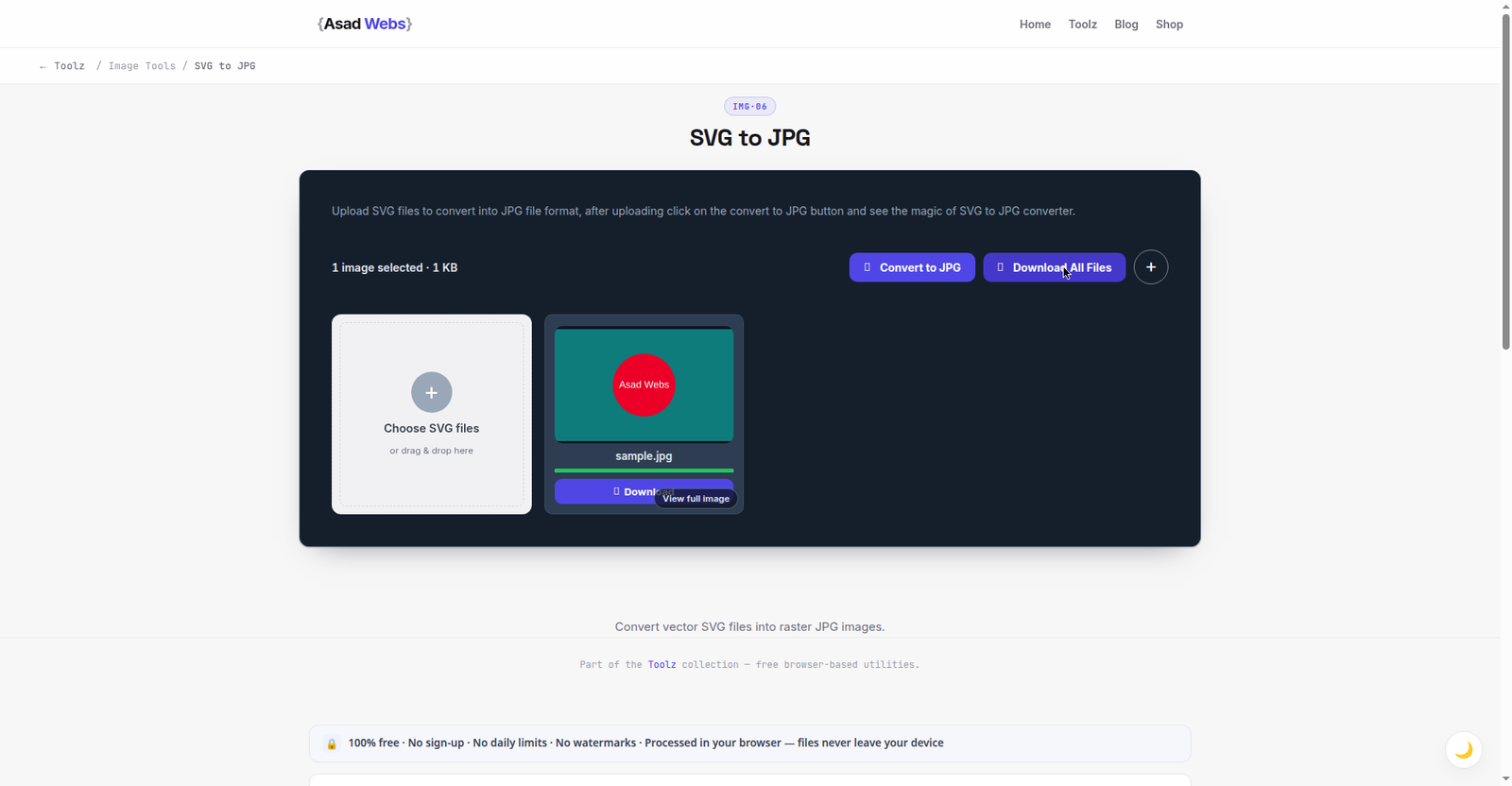
The live converter with a vector file loaded and its JPG ready — the conversion the transparency section below is about to explain. Click the preview to convert your own SVG.
The Transparency Problem (and How to Solve It)
Open most logos as SVG and the area around the artwork is transparent — you see whatever sits behind it. JPG has no alpha channel, so a converter must paint something into those pixels. If you do not choose, you usually get white, which is fine on a white page and glaring on a dark one. A graphic designed for a dark website header, converted with a white background and placed back on that header, arrives with a bright rectangle around it.
The fix takes ten seconds: decide where the JPG will live, then set the background to that colour. If the destination is unknown — a client folder, a press kit — white is the most expected and least surprising choice. If the SVG contains thin light-coloured lines, avoid a white background entirely; they were drawn to be seen against something darker.
Typical JPG file size for one gradient logo by export width (KB, illustrative) — hover or tap each bar for details.
Which Export Size Should You Pick?
A PNG or JPG exported from an SVG is frozen at the size you choose, so size for the largest place the graphic will appear, at roughly double the display size for modern high-density screens. The table below gives reliable starting points; the chart after it shows how quickly file size grows as width increases for one typical logo with gradients.
| Use case | Export width | Notes |
|---|---|---|
| Website logo | 2× display size (shown at 250 px → export 500 px) | Keeps the logo sharp on retina screens |
| Social media post graphic | 1,080–2,048 px | Platforms compress uploads; start larger than the display size |
| Presentation slide | 1,024–2,048 px | Use the top end for full-slide graphics |
| Product or marketplace listing | 1,600 px minimum on the longest side | Many marketplaces require 1,000 px+ for zoom to work |
| Print width in inches × 300 | A 5-inch-wide print needs 1,500 px |
Worked Example: A Logo Pack for a Client Handover
A designer hands over one logo as an SVG, and the client needs it in four places by Friday. Each destination gets its own export from that single master — this is the job done properly:
| Destination | Export | Background | Why |
|---|---|---|---|
| Marketplace storefront | JPG, 1,600 px, q90 | White | The marketplace demands JPG and white; size unlocks zoom |
| Invoice template (Word) | JPG, 800 px, q90 | White | Documents print on white; modest size keeps files light |
| Social profile image | JPG, 1,000 px, q88 | Brand navy | The artwork's light lines need the dark brand colour behind them |
| Partner's dark website footer | PNG instead | Transparent | The background is not yours to predict — JPG would box the logo |
One master, four exports, zero surprises. The pack travels with the SVG itself, so the next destination — a printer, an app, a sponsor banner — starts from the sharp original rather than from whichever JPG happened to be in the email thread.
SVG to JPG vs SVG to PNG: Which Should You Choose?
Choose JPG when the graphic is photo-like, full of gradients, and will sit on a known solid background — the file will usually be noticeably smaller than the same graphic as PNG, and it opens absolutely everywhere. Choose PNG when you need the transparent background preserved, when the artwork is flat shapes and text that must stay razor sharp, or when the destination background is not yet decided.
If your next step is a presentation, social post or app asset with transparency, our guide to converting SVG to PNG online covers export sizes in detail. And if you are converting the other way — ordinary photos and screenshots into JPG — the broader guide to converting any image to JPG explains the quality setting. More converters and utilities live on the free tools page.
The 60-Second Check Before You Ship a JPG
Four quick checks catch nearly every bad export. Zoom to 100% and look at the smallest text and thinnest lines — if they are fringed or mushy there, they will be everywhere. Check the background against its destination: place the JPG on the actual page colour, not on your viewer's default. Compare the brand colour: conversion should not shift your navy or your green; if it looks off on screen, something in the chain converted colour spaces, and the PNG version is a useful comparison. Read the filename and size: a logo JPG that weighs megabytes signals an export width far beyond need — fine for print, wasteful for a web pack. Sixty seconds, four checks, and the file that leaves is the file you meant to send.
Why Does My Converted JPG Look Fuzzy or Different?
Almost every complaint has one of four causes. Blurry edges mean the export was too small — re-export wider. A wrong-coloured box around the artwork means the background choice did not match the page it landed on. Slightly soft gradients and faint fringing around sharp edges are JPG compression doing its job; raise the quality setting toward 90 for graphics with hard edges, accepting a larger file. And if fonts inside the SVG changed appearance, the design used a font the converter could not see — ask the designer to convert text to outlines in the source file, which freezes the letterforms as shapes.
Five SVG-to-JPG Mistakes
- Accepting whatever background the converter picks. The default white box on a dark page is the most visible amateur error in this whole process. Choose the background for the destination — it takes ten seconds.
- Exporting at exactly the display size. A 250 px logo exported at 250 px looks soft on every modern high-density screen. Export at double and let the page scale it down.
- Deleting the SVG after converting. The JPG is frozen at one size and one background. The SVG is the master that produces every future version — it is the last file you should ever throw away.
- Low quality on text-heavy graphics. JPG compression fringes sharp letter edges first. Graphics with text live at quality 88–92; save the low settings for photographs.
- Converting when the destination takes SVG. Your own website is the main case: the SVG is smaller and sharper there. Convert for other people's platforms, not by habit.
Need the graphic on your website rather than in a file? Our web development blog covers image formats, speed and design decisions for business sites — or try the converter above and finish the job in a minute.
Working with logos and graphics for a new website or brand? Book a free consultation — we design sites where your graphics are prepared correctly for every format and platform from day one.
Frequently Asked Questions
Is the SVG to JPG converter really free?
Yes. The SVG to JPG Converter is free, runs in your browser, and needs no account or watermark. Because conversion happens on your device, your file is not uploaded anywhere.
Why did my transparent background turn white?
JPG cannot store transparency, so transparent pixels must become a solid colour. White is the usual default. Re-convert and choose the background colour that matches where the image will be displayed.
What quality setting should I use for a logo?
For graphics with sharp edges and text, use quality 88–92. Lower settings create visible fringing around edges. For photo-like artwork, 80–85 is usually indistinguishable and much smaller.
Can I convert an SVG with fonts in it?
Yes, but if the SVG references a font that is not available, the text may be redrawn in a fallback font. For a guaranteed match, convert the text to outlines in the original design file first.
Should I ever keep the SVG instead?
On your own website, yes — an SVG logo stays sharp at every size and is often the smallest file of all. Convert to JPG only when a platform, tool or client specifically needs a JPG.
Can I convert SVG to JPG on my phone?
Yes — the converter runs in a mobile browser, so an SVG received by email or from a designer can become a JPG on the spot, background colour and width included. For a full logo pack with several exports, a bigger screen makes the checking step easier.
Why is my JPG file bigger than the SVG?
An SVG stores instructions — draw this shape, in this colour — which is tiny for logos and icons. A JPG stores every pixel of the finished picture, so a large export of a gradient-heavy graphic legitimately outweighs its source. That is expected, and it is why the SVG stays your master: it regenerates any size on demand.
Be the first to share a useful question or thought.