
You can download a YouTube video's thumbnail in full size for free in under a minute: open the YouTube Thumbnail Downloader, paste the video link, and save the largest version offered — up to 1280×720 for videos that have one. No install, no account, and no screenshot cropping or blurry enlargements.
Why would you need the file at all? Because creators lose originals, decks need the exact image a video was published with, and designers study what strong channels actually ship. All of those are sensible uses. One use is not: a thumbnail belongs to its creator, so downloading an image is access to a file, not permission to reuse it in your own commercial work. This guide covers the mechanics, the standard sizes, the legitimate uses, and the copyright line clearly, so you get the file you need without creating a problem.
How Do You Download a Thumbnail, Step by Step?
- Copy the video link. On YouTube, open the video and copy its address from the browser, or use the Share button to get the short link. Both forms work.
- Open the downloader. Go to the YouTube Thumbnail Downloader.
- Paste the link and fetch. The tool reads the video ID from the link and builds the thumbnail versions YouTube stores for that video.
- Pick the largest size that is genuinely sharp. Start with the biggest offered, open it, and check it at full size — if the largest looks soft or shows a plain frame instead of the designed thumbnail, drop to the next size down.
- Save with a useful name. Rename the file to the video title or ID before filing it. 'maxresdefault.jpg' means nothing to you in three months; 'launch-video-thumbnail-1280.jpg' does.
Tool preview: one video, three sizes
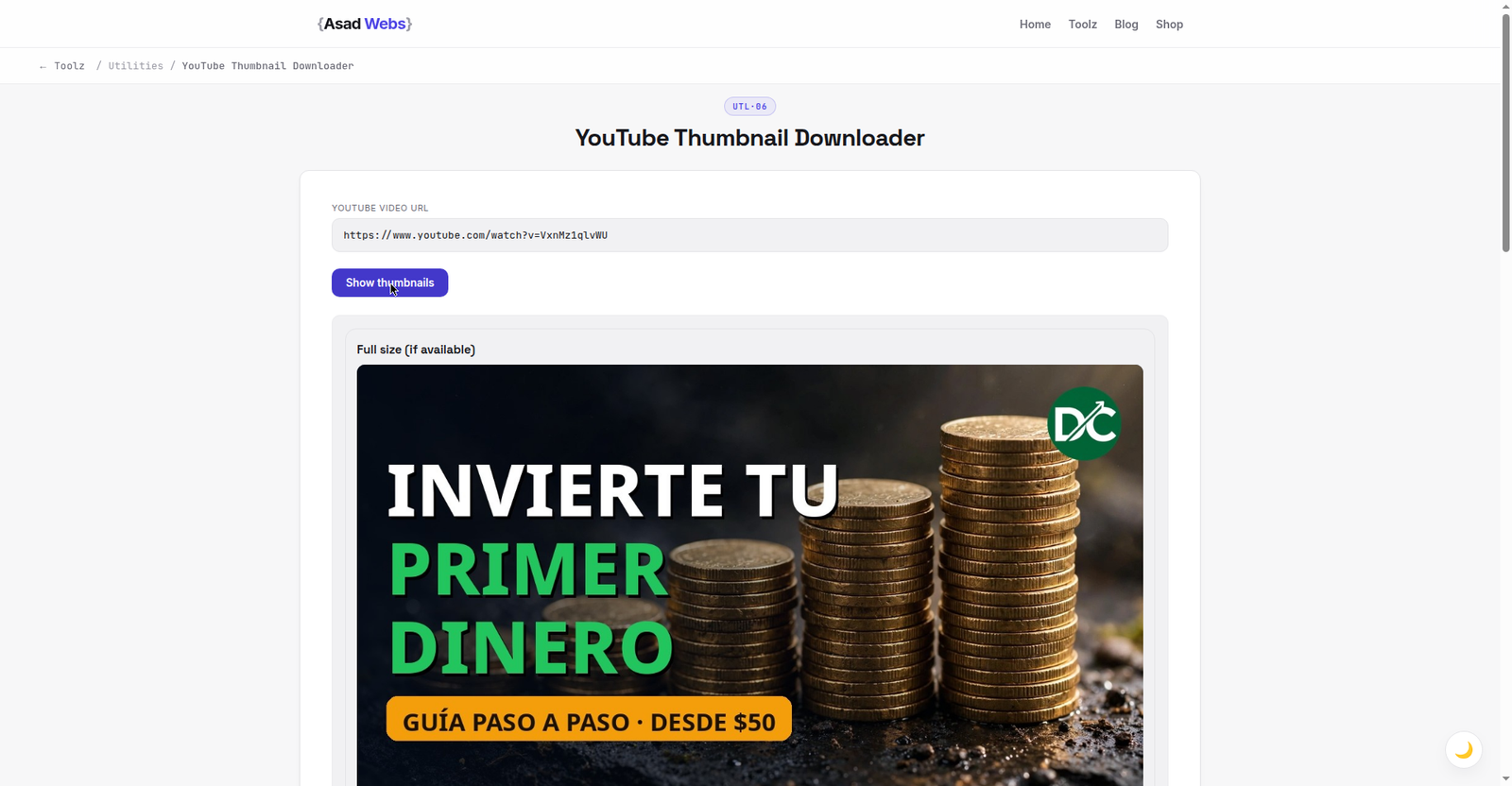
The live downloader on a real video: the thumbnail pulled instantly, in the three sizes the next section explains. Click the preview to fetch a thumbnail.
What Sizes Do YouTube Thumbnails Come In?
YouTube stores each thumbnail in a set of standard sizes, each with its own file name. The designed, custom thumbnail a creator uploaded is stored at the larger sizes; the smaller ones are scaled versions or, on older videos, frames taken from the video itself. The names below are the ones download tools use, and the table is the quick way to choose: for a deck or an archive, take the largest that exists and looks right; for a quick reference or a document, the middle sizes are smaller files and perfectly readable.
The important caveat is availability. Not every video has the largest 1280×720 version. Older uploads, very short clips and some auto-generated content only have the smaller sizes, and in that case no tool can invent resolution that YouTube does not hold — a downloader can only fetch what the platform stored. If the biggest file opens as a grey placeholder or a low-quality frame, the video simply does not have a full-size custom thumbnail, and the 640×480 version is usually the best genuine image available.
| Version name | Size in pixels | Typical use |
|---|---|---|
| maxresdefault | 1280 × 720 | Best quality — decks, archives, design reference |
| sddefault | 640 × 480 | Good fallback when the largest size is missing |
| hqdefault | 480 × 360 | Documents and quick references |
| mqdefault | 320 × 180 | Small previews and contact sheets |
| default | 120 × 90 | Tiny listing thumbnail — rarely worth saving |
Always open the downloaded file at 100% before using it in a deck. A 1280-wide placeholder frame can look fine as a small preview and embarrassingly soft on a projector.
Standard YouTube thumbnail widths by version (pixels) — hover or tap each bar for details.
Getting the Video ID From Different Link Shapes
Every YouTube thumbnail address is built from the video's ID — a short string of letters, numbers, hyphens and underscores, typically 11 characters. You do not normally need to extract it by hand, because the downloader does it from the link, but recognising the ID explains why some links work and some confuse tools. In a standard watch link, the ID follows 'v=' in the address. In a short youtu.be link, the ID is the part right after the domain. In a Shorts link, the ID follows '/shorts/' in the path.
Extra characters after the ID — timestamps, playlist references, sharing parameters — are the usual cause of a failed fetch, because a simple tool may read them as part of the ID. If a paste fails, trim the link back to the clean video address: for a watch link, keep everything up to the end of the v= value; for a short link, keep only the part before any question mark. That one tidy-up resolves most failed downloads without any deeper troubleshooting. These patterns are the common shapes YouTube uses; link formats can change, so if a clean link still fails, try the Share button's short link instead.
Legitimate Uses: Your Videos, Your Decks, Your Research
The strongest use is your own channel. Creators routinely lose the original thumbnail file — it was made on another machine, by a designer, or inside a tool that is long gone — while the video itself keeps earning views. Downloading your own published thumbnail gives you the exact asset back, ready to reuse in a follow-up video's end screen, a media kit, or a case study. Channels that document their work visually, including ones that also record tutorials with a screen recorder, build a tidy visual archive this way.
Presentations are the second clean use: a slide showing your own video, a client report screenshotting a campaign you ran, a teacher showing an example in class. Third is design reference — studying the composition, text size and contrast of thumbnails in your niche before briefing your own. Reference means looking and learning, then making something original; the moment a downloaded image is placed into your own video as its thumbnail, you have crossed from reference into reuse, which is the subject of the next section.
The Copyright Caution, Stated Plainly
A thumbnail is a creative work — usually a designed image combining photography, text and branding — and copyright in it belongs to the channel or creator who made it, just as it would for a poster. Downloading a copy for private reference, study or a presentation about that video sits comfortably within ordinary fair-use style reasoning in many places. Publishing it as your own thumbnail, using it in an advert, printing it on merchandise, or placing it in a commercial product without permission does not. That can bring a takedown, a rights claim, or simply a justified complaint from the creator.
Treat the rule as identical to any other image you find online: access is not a licence. If you want to feature another creator's thumbnail in published work — a review video, an article, a course — ask for permission, or show it in the clearly editorial way your local rules allow, credited, at the size the commentary needs and no larger. When in doubt, link to the video instead of lifting its artwork: a link shares the work and sends the creator the view, which is what the image was made to earn. This section is general information, not legal advice for a specific situation.
Troubleshooting: When the Download Disappoints
- The largest size is a plain video frame, not the designed thumbnail. The video likely has no custom thumbnail at full size. Use the 640×480 version and check whether it carries the designed image.
- The image is blurry in my deck. The slide is displaying it larger than its real pixels. Use the largest genuine size, or shrink its placement on the slide — a sharp smaller image beats a stretched larger one.
- The tool says the link is invalid. Trim sharing parameters after the video ID, or copy the fresh short link from the Share button and paste that instead.
- The video is age-restricted, private or deleted. If the video itself cannot be viewed publicly, its thumbnails are generally not fetchable either. That is a platform limit, not a tool fault.
- The download is a different image than the video shows now. The creator may have changed the thumbnail recently and caches have not caught up everywhere. Wait and fetch again later.
Mistakes to Avoid When Working With Thumbnails
The most common mistake is re-uploading someone else's thumbnail — or a lightly edited version of it — as your own. Beyond the rights problem, it usually fails on its own terms: viewers recognise the original channel's branding, and click-through suffers when the video behind the image is not what the image promised. The second mistake is the mirror image: losing your own assets. Build the habit this guide started with — when you publish a video, file the thumbnail original alongside the project, and add it to the same library you use for your channel art and share assets; the guide to creating a QR code online shows the same keep-the-master habit applied to print materials that point at your videos.
Third, judge thumbnails at the size viewers see them. A design that reads beautifully full-screen on your monitor becomes unreadable at sidebar size where most clicks happen. Download two or three strong examples from your niche, view them at 320 pixels wide — the mqdefault size in the table — and note how much text survives. That single test teaches more about thumbnail design than any list of tips.
Thumbnails earn the click, but the channel behind them — branding, page, and the site your viewers land on next — earns the customer. If your videos are bringing attention your website is not converting, book a free consultation with Asad Webs and we will look at the whole chain, not just the artwork.
Frequently Asked Questions
What is the largest YouTube thumbnail size?
1280 × 720 pixels, stored as 'maxresdefault'. Not every video has it — older or auto-generated uploads may top out at 640 × 480, and no tool can fetch a size YouTube never stored.
Can I download a thumbnail from a Shorts link?
Usually, yes. The downloader reads the video ID that follows '/shorts/' in the link. If a paste fails, copy the video's standard link from the Share option and use that instead.
Is it legal to download someone else's thumbnail?
Downloading for private reference or study is a normal, low-risk use. Reusing the image commercially — as your own thumbnail, in ads or in products — needs the creator's permission, because the image belongs to them.
Why did I get a video frame instead of the thumbnail design?
That video most likely has no custom thumbnail at that size, so YouTube serves a frame it captured from the video. Try the next size down, which often holds the designed image.
How do I get my own old thumbnail back if I lost the file?
Paste your own video's link into the YouTube Thumbnail Downloader and save the largest version. It is the exact image your video is published with.
Why does the fetched thumbnail differ from what YouTube shows?
Caching. If the creator changed the thumbnail recently, different systems update at different speeds. Wait a while and fetch again.
Can I print a downloaded thumbnail in a presentation handout?
For your own videos, freely. For someone else's, keep it clearly editorial — part of a talk or report about that video, credited, and modest in size — and get permission for anything commercial.
Be the first to share a useful question or thought.