
Two sites share a Class C block when the first three numbers of their IPv4 addresses match: check any domain free with the Class C IP Checker — enter the domain and compare the first three octets, so 203.0.113.10 and 203.0.113.45 sit in the same block, while 203.0.114.10 sits in a different one. Those example addresses come from a documentation range reserved for guides like this one, not from real sites.
That simple comparison used to carry a lot of SEO folklore with it — ideas about 'bad neighbourhoods', link networks and penalties travelling between unrelated sites that happen to share hosting. Some of that folklore was understandable when hosting was simpler. Today, shared hosting, cloud platforms and content delivery networks put large numbers of unrelated sites on the same addresses, so the checker is a useful clue and a weak verdict. This guide explains the addressing plainly, shows a worked example, and then sets honest limits on what you should conclude from a result.
How Do You Check a Class C Address in Practice?
- Open the checker. Go to the Class C IP Checker in your browser.
- Enter one domain at a time. Use the plain domain, without https:// or a page path, so the lookup resolves the host itself.
- Read the IPv4 address it returns. Write down all four numbers, separated by dots — for example 203.0.113.10 in our worked example below.
- Compare the first three numbers. If two domains match on those three, they are in the same Class C, also written as the same /24 block. If the third number differs, they are not.
- Repeat at a second time if the answer matters. Sites behind a content delivery network can answer from different addresses in different places, so a single lookup is a snapshot, not the whole picture.
Tool preview: a famous address, checked
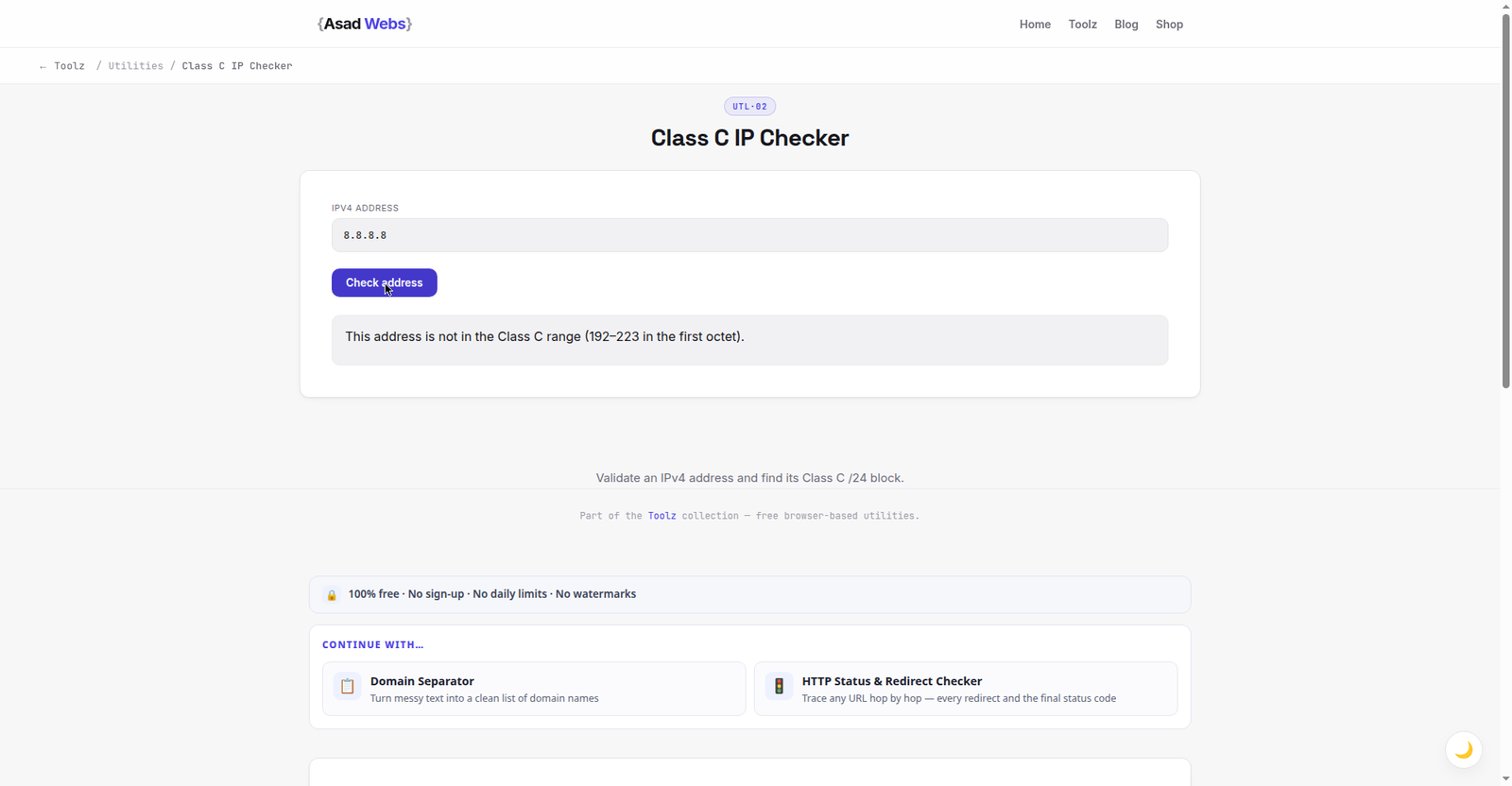
The live checker on a well-known address: 8.8.8.8 is not Class C — its first octet, 8, sits outside the 192–223 range the next section explains. Click the preview to check an address of your own.
What Is an IPv4 Address, in Plain Language?
An IPv4 address is a set of four numbers separated by dots, such as 203.0.113.10. Each number is called an octet, because in binary it holds eight bits, and each one runs from 0 to 255. Read left to right, the address goes from broad to specific, much like a postal address moving from country to town to street to house: the early octets identify a large network, and the later octets narrow down towards an individual machine or service.
The 'classes' are an older way of dividing that space. Class C was the label for a block where the first three octets identify the network and the last octet identifies hosts inside it. Modern networking no longer allocates addresses strictly by those old classes — engineers now talk about prefix lengths such as /24 — but the term Class C survives in SEO tools because the block it describes is still a convenient, human-readable unit. When a checker says 'Class C', it almost always means those first three octets.
That is why the third octet matters so much in this check. Change only the fourth number and you are still inside the same small block. Change the third number and you have stepped into a neighbouring block, which may belong to a completely different customer, server or service.
Addresses in each block size (exact address counts) — hover or tap each bar for details.
What Does a /24 Block Actually Mean?
A /24 is the modern name for the same block. The '/24' says the first 24 bits of the address — exactly the first three octets — are the network part, leaving eight bits for hosts. Eight bits give 256 possible addresses, from .0 to .255 in the last octet. In a traditional network, .0 names the network itself and .255 is used for broadcast, leaving 254 addresses commonly described as usable for hosts, although cloud and hosting setups use the space in more flexible ways.
The chart below shows how block sizes halve as the prefix grows. You do not need to memorise it; you only need the habit of asking 'which part of this address is the network, and which part is the individual host?' Once that clicks, a Class C result stops being jargon and becomes a short sentence: these two sites were answering from addresses inside the same small block on the day you checked.
| What you compare | Example pair | What it means |
|---|---|---|
| Same IP address | 203.0.113.10 and 203.0.113.10 | Both domains answered from the exact same address at check time |
| Same Class C / same /24 | 203.0.113.10 and 203.0.113.45 | Different last octet, same first three — same small block |
| Different Class C block | 203.0.113.10 and 203.0.114.10 | Third octet differs — neighbouring, separate blocks |
| Different first or second octet | 203.0.113.10 and 198.51.100.10 | Not closely related as address blocks at all |
Write results down with the date. An IP result is a snapshot of how a domain resolved when you checked, and hosting, CDN routing and migrations can all change it later.
A Worked Example With Documentation Addresses
Work through three sample addresses slowly. They use the 203.0.113 range, which is reserved for documentation and examples, so they are safe teaching addresses rather than real websites. Site A answers from 203.0.113.10. Site B answers from 203.0.113.45. Compare octet by octet: 203 matches, 0 matches, 113 matches, and only the last number differs. Conclusion: A and B are in the same Class C block, written 203.0.113.0/24.
Now add Site C at 203.0.114.10. The first two octets match, but the third is 114 instead of 113. Conclusion: C is not in the same Class C block as A and B, even though its address looks similar at a glance and even though its last octet happens to match A's. That last point trips people up: similarity in the final number means nothing on its own. The comparison is always the first three octets together, read as a set.
If you were auditing your own site plus two link partners, that is the whole calculation. There is no hidden second step, no score to decode, and no threshold beyond match or no match. Everything interesting — and everything that needs caution — lies in how you interpret the match.
What Does a Shared Neighbourhood Really Mean for SEO?
The original concern was link schemes. If a group of sites all link to each other, sit in one small address block, share templates and were clearly built as a network, the shared block is one more piece of evidence that they are connected. Search engines look at patterns, and common hosting can be part of a pattern. Notice the order, though: the block supports a conclusion drawn from links, content and behaviour — it rarely creates that conclusion by itself.
Against that, consider how ordinary hosting works now. On shared hosting, dozens or hundreds of unrelated customers can sit on one server and one address because that is the product they bought. Behind a large CDN or cloud platform, the address a visitor sees may belong to the platform, not to the site owner at all, and the same address can serve a huge number of unrelated domains. In both cases, treating a shared block as guilt by association would punish normal, inexpensive hosting choices.
So use the result as a question, not a sentence. If your own site shares a block with sites you have never heard of, that is expected on shared hosting and is not, by itself, a reason to move. If you are vetting a paid link placement and the seller's whole portfolio sits in one block, links to itself and exists only to sell links, that combination is a reason to walk away. The address is a weak signal; the company it keeps in your reasoning should be links, content quality and intent. For the on-page side of an audit, pair this check with our guide to analysing meta tags, which covers the signals a page actually controls.
Common Mistakes When Reading IP Results
- Panicking over a shared address on budget hosting. Unrelated neighbours are the normal state of shared hosting, not evidence of a penalty waiting to happen.
- Assuming a different block means a site is trustworthy. A link seller can rent addresses in many blocks. Separation proves nothing about editorial quality.
- Checking once and treating it as permanent. Migrations, hosting changes and CDN routing change answers. Date your notes and re-check before acting.
- Confusing same IP with same owner. An address identifies a network endpoint, not a person. Ownership needs other evidence, such as public company or site information.
- Ignoring IPv6 and CDN answers. Some domains answer mainly over IPv6 or through a network that returns varying addresses. If results look inconsistent, record that instead of forcing a single answer.
When Is This Check Worth Doing — and When Is It Not?
It is worth doing in three situations. First, when you are auditing a set of sites that link to you or that you suspect form a network, and you want one more data point. Second, when you are planning a migration and want to record where your site resolved before and after the move. Third, when a hosting problem is being investigated — for example, if a server-level block or a misbehaving neighbour is suspected of affecting mail delivery or uptime, where address information is genuinely practical.
It is not worth doing as a routine health score for a single ordinary website, and it should never be the reason you buy expensive dedicated hosting on SEO grounds alone. Dedicated resources can be worth paying for because of speed, isolation and control — those are measurable benefits you can test. If a page is underperforming, work through the causes you can verify first: index coverage, content quality and how naturally your pages use their subject language, which our guide to checking keyword density covers without turning it into a stuffing exercise.
If several checks point to a real technical problem — slow server response, confusing hosting setup, a site structure you have outgrown — that is a website problem worth solving properly, not an IP problem to obsess over.
If your IP check turned into a bigger hosting or site-structure question, talk it through before you spend money moving servers. Book a free consultation with Asad Webs and bring the addresses you found — we will help you separate a real technical issue from an expensive superstition.
Frequently Asked Questions
How do I know if two sites are in the same Class C block?
Resolve both domains with the Class C IP Checker and compare the first three octets. If all three match, they are in the same Class C, also called the same /24 block.
Does sharing an IP address with other sites hurt rankings?
Not by itself. Shared hosting and CDNs place many unrelated sites on one address as a normal practice. A shared address only becomes interesting alongside other evidence, such as a clear link network.
What is the difference between same IP and same Class C?
Same IP means the exact address matched, all four octets. Same Class C means the first three octets matched while the last one differed, so the sites sit inside the same small block of 256 addresses.
Why did the checker give a different address the second time?
Many sites sit behind CDNs or load-balancing that can answer from different addresses depending on time and location. Record both results with dates rather than assuming one was wrong.
Should I buy a dedicated IP for SEO?
Buy dedicated resources for speed, isolation or specific technical needs you can measure — not as an SEO guarantee. No honest provider can promise a ranking benefit from an address change alone.
Are the addresses in this article real websites?
No. Addresses in the 203.0.113 range are reserved for documentation and examples. They are used here so the octet comparison can be shown clearly without pointing at anyone's real hosting.
What should I check instead if my traffic is falling?
Start with things you can verify: whether key pages are indexed, whether their status codes are healthy, what their titles promise, and whether the content still answers the query well. An IP check is a specialist tool, not a first response.
Be the first to share a useful question or thought.