
TellyScope is a real, free, open-source Android app that cleans up, controls and manages an Android TV from your phone over Wi-Fi — no root, no PC, no account, and the app itself is just 3 MB. It talks to the TV using ADB, the debugging protocol developers use: from your phone you can switch off preinstalled bloatware, install APKs, send files, replace the home screen, block ads with Private DNS and watch the TV's CPU, RAM and network usage live. It was released on 22 October 2026 by developer Manish (man15h on GitHub) and had already collected 1,865 GitHub stars by 11 November 2026. The viral post about it is mostly right. It is wrong about one important word — "remove" — and it skips the one setup step that actually matters.
What TellyScope is
TellyScope is a phone app for Android 8.0 and newer that connects to an Android TV, Google TV, NVIDIA Shield or Fire TV on the same Wi-Fi network. A modern TV is a small Android computer with a slow processor, a little storage and a home screen full of apps and ads you never asked for.
The numbers, checked fresh on 11 November 2026: the repository is github.com/man15h/tellyscope, written in Kotlin with Jetpack Compose, licensed under the GNU General Public License v3.0, available in 6 languages. The latest release is v0.16.0, published on 6 November 2026 — just three weeks after the project was created — and the project had already shipped more than 80 releases, including alpha builds, in that time. It has 1,865 stars, 96 forks and 24 open issues on GitHub. That pace tells you two things at once: the project is actively developed, and it is very young, so expect fast-moving releases and the occasional rough edge.
What the viral post gets right — and where it stops
pm disable-user — the app stops running, disappears from the home screen and stops using resources, but it is still on the TV and can be switched back on at any time. The project states this as a safety rule and says it never runs pm uninstall --user 0. That is a feature, not a weakness: every change is reversible, with an Undo on every History entry and a "Restore everything" button that turns back on only what TellyScope turned off. Uninstall is offered only for apps you installed yourself.Correction 2 — "No PC" is true, but it is not zero-setup. Before TellyScope can talk to your TV, the TV needs Developer Options switched on and ADB debugging enabled — a few steps in the TV's settings, including pressing OK on the Build entry seven times. The exact steps are below. It takes about five minutes, but it is not "install and go".
Correction 3 — "Just 3 MB" is the app size, not the whole story. The 3 MB figure is real — it is on the project's own badge. But TellyScope also downloads its debloat lists from GitHub, so the app is small because the lists live outside it and sync separately. Good design, not a hidden cost.
Correction 4 — It is not on Google Play for everyone. TellyScope is in closed testing on Google Play: you join a testers group, accept the test, then install it from Play. For most people the normal route is sideloading the APK from GitHub Releases. It is also in the Obtainium app and the Orion Store catalog, which handle updates automatically.
Correction 5 — NVIDIA Shield support is not fully tested. The README lists Android TV, Google TV, NVIDIA Shield and Fire TV, but it also says NVIDIA Shield "hasn't been tested on real hardware yet". Do not present Shield support as proven.
Correction 6 — Fire TV has two caveats. Over HDMI, a Fire TV's volume is fixed, so mute and volume are greyed out in the remote. And the Private DNS ad-blocking tweak needs the TV to run Android 9 or newer.
Correction 7 — iPhone users are out. TellyScope is Android-only, and that is not a marketing choice: iOS restricts local socket connections and does not allow apps to bundle an ADB client. If your phone is an iPhone, this tool cannot work for you.
How it works: ADB over Wi-Fi, simply
Every Android device, including your TV, ships with a debugging protocol called ADB — Android Debug Bridge. Developers use it to install apps and run commands from a computer, usually over USB. Android also supports ADB over Wi-Fi: the device listens on the local network, and any client on the same network can connect once debugging is switched on and the connection is approved.
TellyScope is, at its core, an ADB client that lives on your phone. It bundles a pure-Kotlin ADB library, finds TVs on your Wi-Fi, pairs with them, and then sends the same commands a developer would type on a PC — pm disable-user to switch off an app, pm install to install an APK, file transfers, shell commands — through a touch interface instead of a terminal. Nothing runs on the TV itself except two small helpers that run from the TV's temporary folder and are deleted as soon as they finish: one reads app names and icons, the other runs the remote. There is no app to install on the TV, no root, no exploit — only what ADB allows on a stock TV.
Every feature, explained
TellyScope packs a surprising amount into 3 MB. Here is what each part actually does, in the order you will use it.
Connect — find the TV, pair once
Open the app and it looks for TVs on your Wi-Fi, rescanning every 10 seconds or when you tap Rescan — or add one by its IP address. It works with classic network debugging and with Android 11+ wireless debugging and its pairing code, and a paired TV reconnects by itself. The app shows the exact menu names for your TV's brand, which matters because every maker hides Developer Options somewhere different.
Debloat — the headline feature
This is why most people install TellyScope. The app matches your TV to one of 330+ tested debloat lists — adapted from the CleanYourTV project, kept in a separate tellyscope-devices repository — and shows every app it will turn off before it touches anything. Untick anything you use, or a whole group from its heading. No list for your exact model? Pick from the maker's lists, or choose apps by hand.
Two protections make this safe to use. First, the Protected System Guard: essential apps — Wi-Fi, Bluetooth, audio, input, the core OS, anything the TV needs to boot, update, stay online or show its home screen — sit in an un-editable System section that cannot be stopped or disabled, with no override. Second, everything is reversible: every change lands in that TV's History with an Undo, and "Restore everything" turns back on only what TellyScope turned off. Before its first change on a TV, the app also notes which apps were already off, so a restore never switches on something the maker had shipped off.
Apps — see what is running, stop what you do not want
The Apps screen shows every app on the TV with its real name and icon, under three tabs: Running (what is using memory right now), Installed (only the apps you put on the TV) and Built-in (what came with it). Open or stop any app, switch off the ones the TV came with — and back on any time — and uninstall the ones you added yourself. Uninstall is only ever offered for your own apps, never for built-ins.
Install apps — APKs and bundles from your phone
Pick an APK, split APKs or an .apks / .xapk / .apkm bundle on your phone and TellyScope installs it on the TV. The picker opens in Downloads and shows only apps, and before installing it tells you whether the file is new, an update or an older version than the one on the TV — so you do not accidentally downgrade Netflix. This is the answer for apps the TV's store does not offer: a media player, a browser, or an app for a projector or set-top box.
A better home screen — replace the launcher
Most Android TV home screens are a wall of ads and suggestions. TellyScope lets you install Projectivy, FLauncher, AT4K or Monet and make it Home, so the TV opens to your apps and inputs instead. On Android TV the launcher installs from the TV's Play Store, or from its developer's GitHub releases after a warning (FLauncher comes from a community fork). Fire TV has no Play Store, so TellyScope downloads Projectivy from its developer's GitHub releases. Switch launchers, or back to the TV's own, from the Home screen card in Tweaks — only the TV's own launcher is ever turned off, after the app has checked that Home opens the new one. A launcher's accessibility service turns on only if you say yes.
Send files — no USB stick
Send films, subtitles, photos or wallpapers to and from the TV's Download and Movies folders. Moving a file to a TV normally means a USB stick, a cloud upload or a cable — this is none of those.
Remote — your phone is the clicker
The remote gives you a D-pad, or a touchpad from the menu (swipe to move, tap for OK), Back, Home, Menu, mute and volume, typing on the TV from your phone's keyboard, and buttons that open Netflix, YouTube, Plex and 20 more streaming apps — hold one to pick up to three favourites. Restart the TV from the remote, or use Screen off on Android 13 or older to listen to music with the picture off. On Fire TV over HDMI, volume is fixed, so mute and volume are greyed out.
Tweaks — ads off, animations faster, caches cleared
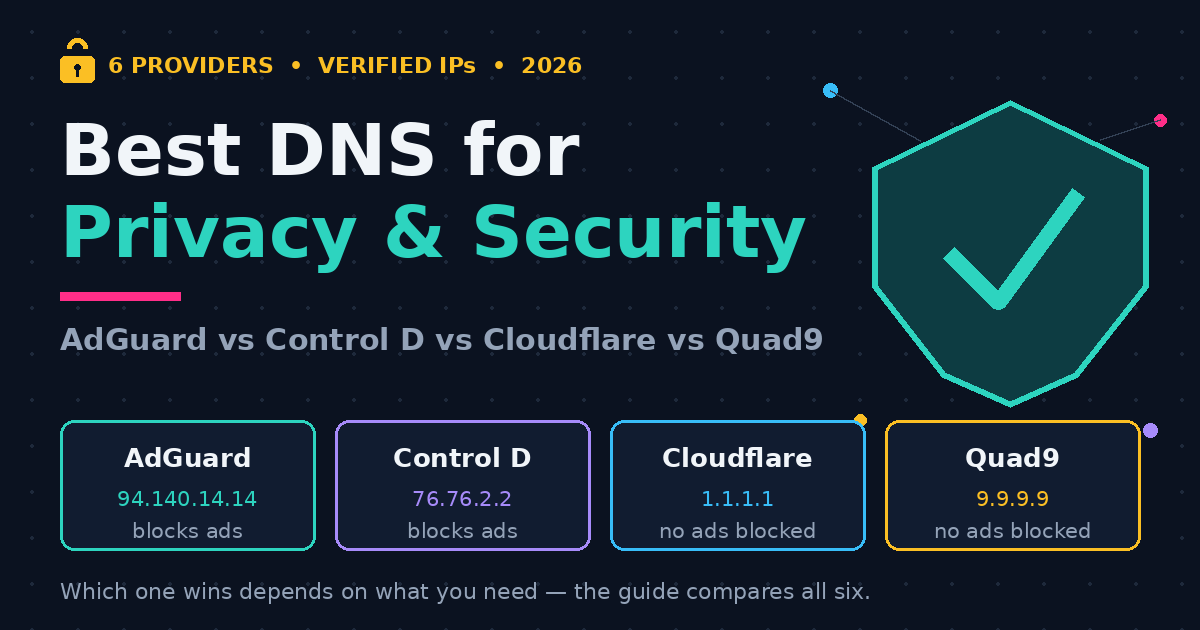
The Tweaks screen holds the quality-of-life switches: block ads with Private DNS (AdGuard by default; the TV needs Android 9 or newer, and if the TV cannot reach the DNS provider it switches straight back), faster animations, clear every app's cache in one go, and take a screenshot of the TV. The home screen card lives here too, for switching launchers.
Monitor, Shell and Reset TV — the power tools
The Advanced monitor has four tabs: This TV, then CPU, RAM and Network by app — processes, connections and data used, so you can see which app is eating the TV's memory or bandwidth. The Shell tab runs any adb shell command, and anything that changes the TV asks first. Reset TV, added in v0.12.0, turns the TV back to how it shipped — preinstalled apps back on, uninstalled ones too, the TV's own launcher Home again — with one Undo.
Setup, step by step
Step 1 — Get the app on your phone. Download Tellyscope-0.16.0.apk from GitHub Releases (or the latest version) and open it. Your phone needs Android 8.0 or newer, on the same Wi-Fi as the TV. Obtainium handles updates automatically; the app is also in the Orion Store catalog and in closed testing on Google Play.
Step 2 — Turn on Developer Options on the TV. Open About in Settings and press OK on Build — on Fire TV, your device's name — seven times.
Step 3 — Turn on ADB debugging. In Developer options, turn on USB debugging (on Fire TV: ADB debugging), and Network debugging or Wireless debugging if your TV lists it.
Step 4 — Connect from the phone. Open TellyScope, pick your TV's brand under Add your TV, and tap Connect when your TV shows up. On the TV, check the key matches the one TellyScope shows, tick "Always allow from this computer" and press Allow. With wireless debugging, type the 6-digit pairing code instead. From here on, the TV reconnects by itself.
Step 5 — Debloat carefully. Open Debloat, read the list of apps it will turn off, untick anything you recognise and use, then let it run.
Use cases: where TellyScope earns its keep
The slow TV. The classic case: a two-year-old TV that takes a minute to reach the home screen and stutters through menus. Most of that slowness is preinstalled apps running in the background and a home screen full of sponsored rows. Debloat the apps you never use, clear the caches, speed up the animations, and the same TV feels new — no purchase, no factory reset.
The ad-filled home screen. If your TV's home screen is mostly ads and recommendations, swapping the launcher for Projectivy or FLauncher gives you a home screen that shows your apps and your inputs, and nothing else. Combined with Private DNS ad-blocking, the TV stops selling you things and starts being a TV.
Sideloading and files. Some apps never reach your TV's store: a media player the maker did not certify, a browser, SmartTube, an app for a projector or a set-top box. Sending the APK from your phone and installing it in one tap is the whole job — and the same Send button moves films, subtitles and photos to the TV without a USB stick.
Limitations — the honest list
- Setup is a real step. Developer Options and ADB debugging are not on by default, and some TV makers bury them deeper than others. If pressing Build seven times puts you off, this is not a one-tap tool.
- It is very young. Released 22 October 2026, at v0.16.0 by 6 November 2026, with more than 80 releases — including alpha builds — in its first three weeks. Fast fixes and fast features, but also breaking changes between releases. Check the release notes before updating.
- NVIDIA Shield is untested on real hardware. Listed as compatible, not verified. Treat the first run on a Shield as a test, not a routine cleanup.
- Fire TV quirks. Volume is fixed over HDMI, so mute and volume are greyed out in the remote. Private DNS ad-blocking needs the TV on Android 9 or newer.
- Android phones only. No iPhone version, and there cannot be one: iOS blocks what this app needs to do.
- Disable is not delete. Disabled apps still take up storage. Debloating frees RAM and stops background work, but it does not give you the storage back — only uninstalling your own apps does that.
- ADB access is powerful. The same connection that lets you clean the TV could let someone else change it. Only use it on your own Wi-Fi, on TVs you own, and check the "Who has access" screen after setup.
Security and privacy
The privacy story is the strongest argument after the price. TellyScope has no ads, no tracking and no accounts. The app makes only two internet requests: it fetches the debloat lists from GitHub (or your own fork, if you point it there), and in the GitHub build it checks for a new version every 30 minutes — which you can turn off in Settings. The Play Store build has no update check at all and downloads nothing from GitHub. Everything else stays on your Wi-Fi, except the DNS lookup of each TV's name during the scan.
Two honest caveats. First, "open source" means the code is auditable, not that it has been audited: the project is three weeks old, GPL-3.0 licensed, and no independent security review has been published. The code is public on GitHub, which is the right starting point — and download only from the official repository, the Play testing track, Obtainium or the Orion Store. Second, the debloat lists are downloaded from GitHub and can change without an app release, so they are only as trustworthy as the project that maintains them. The lists are public, their history is public, and you can point the app at your own fork if you would rather maintain your own.
TellyScope vs the alternatives
| Method | What you need | Debloat | Remote + files | Weak spot |
|---|---|---|---|---|
| TellyScope (phone app) | Android phone, same Wi-Fi | 330+ lists, preview + Undo | Built in, monitor + shell | Very young; Android only |
| CleanYourTV (WebADB, browser) | Any browser, same Wi-Fi | Same list project, in the browser | No remote, no file transfer | Debloat only — no remote or monitor |
| PC + ADB (commands) | Computer, USB or Wi-Fi, terminal | Full control, by hand | Manual file push, no remote | Needs a PC and typed commands |
The pattern is the point. CleanYourTV is the lists that TellyScope is built on, and the right tool if you only want to debloat from a browser. A PC with ADB gives you total control, and it is still the right tool for scripting or for a TV that will not pair over Wi-Fi. TellyScope puts the whole job — debloat, install, files, remote, monitor — on the phone in your pocket, with a preview before every change and an Undo after it.
Frequently asked questions
Is TellyScope really free?
Yes. It is open-source under the GPL-3.0 licence: free to use, no ads, no tracking, no account, no paid tier. Download the APK from GitHub Releases, or install it from the Play closed-testing track, Obtainium or the Orion Store.
Does it remove preinstalled apps from my TV?
No — and that is deliberate. It disables them with pm disable-user, so they stop running and disappear from the home screen, but they stay on the TV and can be switched back on at any time. Every change has an Undo, and "Restore everything" turns back on only what TellyScope turned off.
Do I need a PC or root?
Neither. You need an Android phone on the same Wi-Fi as the TV, and the TV's Developer Options and ADB debugging switched on — about five minutes of setup, once per TV.
Will it work on my Fire TV Stick?
Yes — it is tested on Fire TV (Fire OS 8). Two caveats: over HDMI the volume is fixed, so mute and volume are greyed out in the remote, and Private DNS ad-blocking needs the TV on Android 9 or newer.
Can I use it with an iPhone?
No. TellyScope is Android-only, because iOS restricts local socket connections and does not allow apps to bundle an ADB client.
Is it safe? Can it break my TV?
The project is built around safety rules: essential system apps are locked in a protected section that cannot be disabled, every change is previewed and reversible, and Reset TV returns the TV to how it shipped with one Undo. That said, it is a three-week-old project — debloat in two passes, untick anything you use, and keep the Undo in mind.

Be the first to share a useful question or thought.