
You can convert a list of keywords into hashtags for free in seconds: open the Hashtag & Keyword Converter, paste your keywords one per line or comma-separated, and copy out clean hashtags — multi-word phrases joined into single tags like #SmallBusinessTips, ready to paste into your post. The converter also runs the other way, turning a block of hashtags back into a plain keyword list you can sort, dedupe and reuse.
Hashtags are a small job that eats time when done by hand: joining phrases, fixing capitals, removing duplicates, stripping stray spaces. They also go wrong in predictable ways — walls of thirty generic tags, phrases broken into meaningless single words, tags nobody searches. This guide covers the mechanics and the judgement: what to convert, how many to post, and which tags to leave out.
Convert Keywords to Hashtags in 3 Steps
- Open the converter. Go to the Hashtag & Keyword Converter.
- Paste your keyword list. One phrase per line works best — 'small business tips', 'web design dubai', 'laravel developer'.
- Copy the hashtags and edit like a human. The converter handles formatting; you handle judgement. Delete anything irrelevant to the actual post before publishing — the next sections explain what to cut.
Tool preview: keywords in, hashtags out
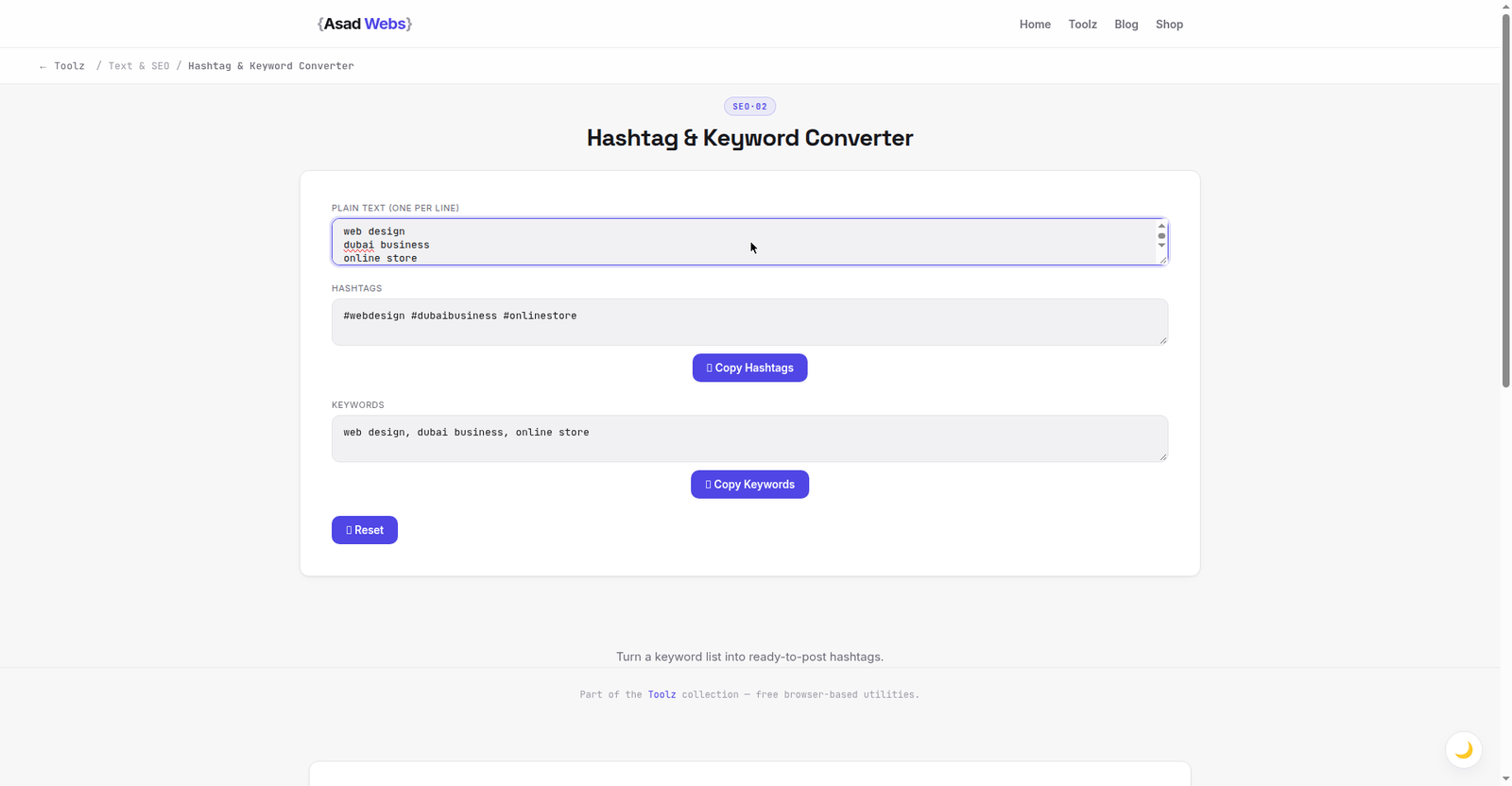
The live converter doing its one job: three keyword phrases in, #webdesign #dubaibusiness #onlinestore out. Click the preview to convert your own list.
Formatting Rules That Actually Matter
Three formatting details separate tidy hashtags from a mess. First, multi-word phrases must be joined — #webdesign is a tag; '#web design' is just the word 'web' tagged and 'design' left as plain text, which is the commonest manual error. Second, capitalise each word inside a long tag (#WebDesignDubai, not #webdesigndubai): CamelCase tags are easier to read and screen readers pronounce them word by word, which is a genuine accessibility improvement. Third, no punctuation or spaces inside a tag — an apostrophe or comma ends the tag at that character.
Numbers can start a tag's later words but a tag of pure digits is unreliable on most platforms, and special characters like & break tags entirely. Keep tags to letters and numbers and they will survive every platform you paste them into.
Sensible maximum hashtags per post by platform (working guide) — hover or tap each bar for details.
How Many Hashtags Should You Actually Use?
The honest answer is 'fewer than you think, chosen better'. Platform norms differ — Instagram tolerates more, LinkedIn and X reward restraint — but relevance beats volume everywhere, because platforms read hashtags as a topic label for the post, and a pile of unrelated tags tells the algorithm your post is about nothing in particular. The chart below gives sensible working ranges by platform; treat them as ceilings, not targets.
Build your list from three buckets: the topic of this exact post (2–4 tags), your niche or trade (2–3), and your location or community if relevant (1–2). Generic mega-tags like #love or #instagood add nothing — a post shown to a giant, uninterested audience collects no engagement, which teaches the platform to show it less.
Worked Example: Building the Tag Set for One Real Post
A Dubai café is posting a photo of a new weekend brunch menu. The owner brainstorms keywords first, converts them, then edits like a human. The brainstorm list: brunch dubai, weekend brunch, jlt brunch, shakshuka, specialty coffee dubai, cafe food, foodie, instafood, dubai eats, breakfast dubai.
The converter produces clean CamelCase tags in seconds: #BrunchDubai #WeekendBrunch #JLTBrunch #Shakshuka #SpecialtyCoffeeDubai #CafeFood #Foodie #Instafood #DubaiEats #BreakfastDubai. Now the judgement pass, which is where the value is: #Foodie and #Instafood are cut — mega-tags with giant, uninterested audiences. #CafeFood is cut as too vague to describe this post. What survives is seven tags across the three buckets: the topic (#WeekendBrunch, #Shakshuka, #BreakfastDubai), the niche (#SpecialtyCoffeeDubai), and the location (#BrunchDubai, #JLTBrunch, #DubaiEats). That final set tells the platform — and a hungry person searching locally — exactly what the post is and where it is.
The Reverse Job: Hashtags Back to a Keyword List
Conversion runs both ways because research often arrives as hashtags: a competitor's post, an influencer's caption, a client's old content. Converting that block back to a plain keyword list lets you sort it, remove duplicates, and spot the topics worth writing about — the raw material for blog posts and future captions. Paste the cleaned keywords into a spreadsheet and you have the start of a content calendar.
While cleaning lists, check the phrases still say what you mean on your website too — our guide to checking keyword density shows how to use a target phrase naturally in an article without stuffing it, and the free tools page collects the other text utilities mentioned here.
| Platform | Sensible hashtag range | Placement |
|---|---|---|
| 5–15 relevant tags | Caption end or first comment | |
| TikTok | 3–8 tags | In the caption, topic-first |
| 3–5 tags | End of the post | |
| X (Twitter) | 1–3 tags | Woven into the sentence where possible |
| 1–3 tags | End of the post, sparingly | |
| YouTube | 3–5 tags in description | Plus proper video tags in Studio |
Building a Hashtag Bank (Without Repeating Yourself)
The FAQ below warns against pasting an identical block on every post, but starting from a blank page each time is its own waste. The middle path is a small hashtag bank: a spreadsheet or note with three or four rotating sets per theme your business posts about — for the café above, one set for brunch posts, one for coffee posts, one for the venue and events. Each set holds the niche and location core; when you post, take the set, then swap two or three tags for ones describing this exact photo. The bank gives you consistency without the identical-block pattern platforms read as automation.
Feed the bank from research, using the reverse conversion above: when a competitor's post performs well, convert its tags back to a keyword list, sort it, steal the topics (not the whole block), and file the keepers under the right theme. Reviewed monthly, a bank like this turns hashtag choice from a daily chore into a two-minute edit.
Tags to Avoid: Banned, Broken and Pointless
Some hashtags are restricted or shadow-limited by platforms because of abuse, and using one can reduce a post's reach without any warning. If a post underperforms mysteriously, the tag list is worth auditing. Also avoid tags built from your own brand name plus random words (nobody searches them), tags in a language your audience does not use, and — for businesses — tags that send your customers to competitors' content. When in doubt, search the tag on the platform first and look at what actually appears under it.
Five Hashtag Mistakes That Quietly Cost Reach
- The thirty-tag wall. A block of generic tags signals a post about nothing in particular. Edit down to the buckets above: topic, niche, location.
- Breaking phrases into single words. #web #design #dubai tags three vast topics instead of one precise one. Joined phrases are the entire point of conversion.
- All-lowercase long tags. #smallbusinesstipsdubai is harder for humans to scan and for screen readers to pronounce. CamelCase costs nothing.
- Tagging in the wrong language or city. Tags your audience never searches — a leftover from a copied block — dilute the post's topic signal and can send your customers to a competitor across town.
- Never auditing results. If a set underperforms repeatedly, the tags are a suspect: check each tag's page on the platform, drop restricted or hijacked ones, and refresh the bank.
Hashtags are the last 2% of a post — the other 98% is the content itself. If your business posts are not turning into enquiries, the Asad Webs blog covers the website and content side of that problem in plain language.
Building an audience for a business, not just a post? Hashtags and keywords work when the website behind them converts. Book a free consultation — we build sites and SEO foundations that turn social traffic into enquiries.
Frequently Asked Questions
How do I turn a keyword into a hashtag?
Remove the spaces, join the words, and capitalise each word: 'web design dubai' becomes #WebDesignDubai. The converter does this for a whole list at once.
Do CamelCase hashtags really matter?
Yes, for readability and accessibility. Screen readers read #WebDesignDubai as three words and #webdesigndubai as a jumble, and sighted readers scan capitalised tags faster too.
Can hashtags hurt my post?
Irrelevant or restricted tags can. A pile of off-topic tags confuses the platform's topic signals, and some abused tags are limited without notice. Fewer, relevant tags are the safer habit.
Should I put hashtags in the caption or first comment?
Both work on Instagram; reach is essentially the same. In a first comment the caption looks cleaner. On other platforms, keep them in the post itself.
Can I reuse the same hashtag block on every post?
Avoid it. Repeating an identical block reads as automation to platforms and ignores what each post is actually about. Keep a niche core, then tailor the rest per post.
Do hashtags still work in 2026?
Yes, but their job has narrowed. Platforms now lean heavily on the caption text itself, search and watch behaviour to categorise posts; hashtags act as a supporting topic label and still power tag-page and local discovery (a search like #JLTBrunch). Treat them as precise labelling, not a reach hack — a few accurate tags beat thirty hopeful ones.
How do I research hashtags without paid tools?
Use the platform's own search: type a seed tag and read the related tags and the posts under them; note which accounts like yours use repeatedly. Convert a performing competitor caption's tags back into a keyword list with the converter above, sort it, and keep the topics that fit your themes. Ten minutes of this builds a better list than any generic 'top 100 tags' page.
Be the first to share a useful question or thought.